A debit card from Destinations provides you with direct, anytime access to your account balance for online purchases, in-store shopping, and withdrawals at ATMs.
Complimentary with any Destinations checking account1
Debit card purchases help qualify you for higher dividends and more with our NEW PREFERRED Rewards Checking accounts
No additional charges or interest owed
View an up-to-date record of transactions online
Easily withdraw funds from ATMs:
Surcharge-free ATM access through several networks
Safer and more convenient than carrying cash or checks
Easily replaced if lost or stolen
Monitor your transactions with our Mobile App
Extra Protection for Online Shopping: Your Mastercard® Debit & Credit Cards are protected by 3D Secure. 3D Secure is a sophisticated fraud model and you are automatically enrolled. If there is a transaction that is deemed suspicious, you will receive a text message from short code 90742. You will authenticate the transaction via text message.
Important Numbers
Report a lost or stolen card
Call 888-241-2510 if in the US
Call 909-941-1398 if International
Card and PIN activation
Call 866-762-0558 if in the US
Call 501-588-7531 if international
Change your PIN
Call 866-762-0558 if in the US
Call 501-588-7531 if international
Transaction Disputes
Call 844-675-5027
We're Here for You
Losing your Destinations Credit Union credit or debit card can be stressful, but we’re here to help! Contact us immediately, and we’ll freeze your accounts to minimize any risk of fraudulent activity. We’ll also issue a new card at your request, ensuring you’re back on track quickly.
Even if your cards aren’t lost or stolen, you can call us anytime to change your PINs and safeguard your accounts. We’re committed to keeping your finances secure and giving you the peace of mind.
Bank anytime, anywhere.
Wherever you go, take Destinations along with you via our free mobile banking services. Check balances, make transfers, find the nearest branch or ATM, and more.
How to Enable Card Controls
Turn your debit card on or off, or set notifications when your card is used with our card controls. To begin, Enable the Card Control Feature within your Destinations Credit Union App
Temporarily locking your account prevents new purchases but does not cancel your card. Before locking, note the following:
If you lost your card, report it stolen (Scroll up or click here to for the contact numbers)
Your account number will not change
Continue to pay your bill and manage your account
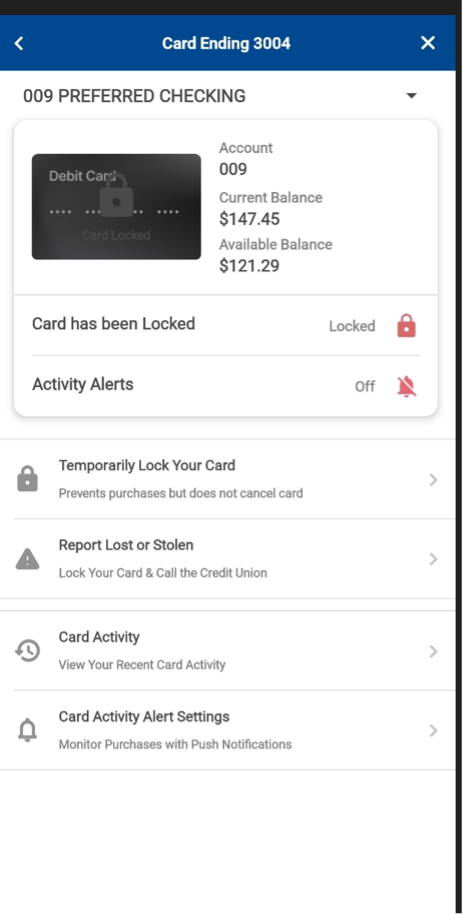
When you successfully lock your card, you will be able to see the locked status with a red lock icon. If you locate your card and want to reactivate it, you can return here to do so.
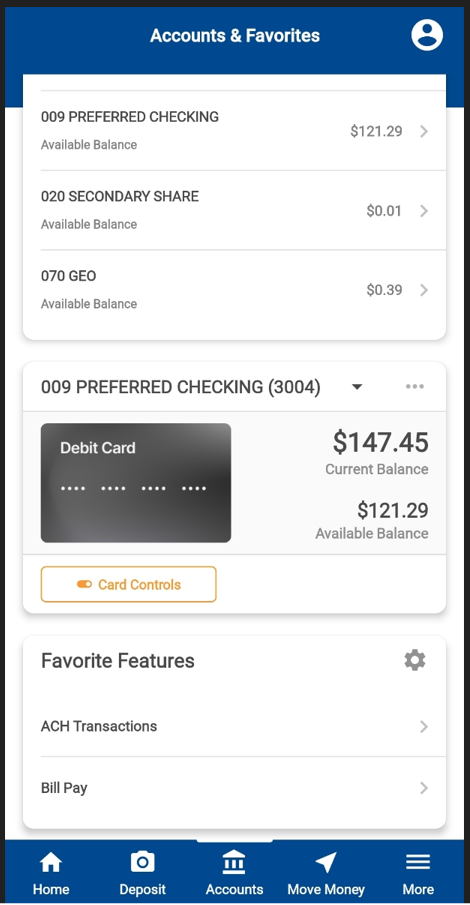
1. Once logged into your mobile app, scroll down on the home screen until you see your debit or credit card image.
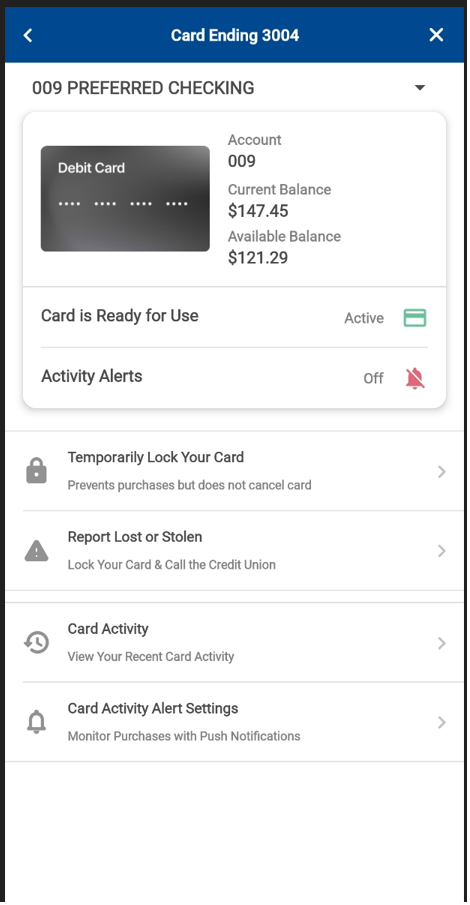
2. Select “Card Controls” under the card image. 3. Next screen should look like the following:
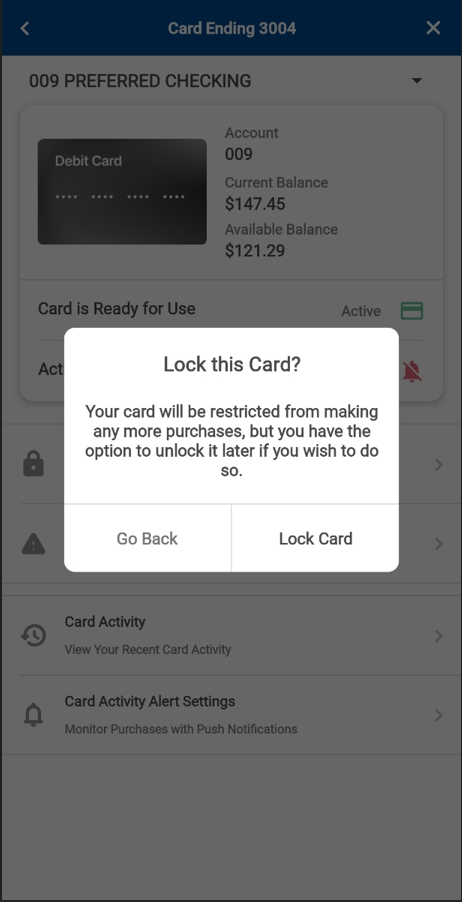
4. Select “Temporarily Lock Your Card” 5. Confirmation screen will appear. To continue with locking your card select “ Lock Card”. To leave card status alone, select “Go Back”.
6. After locking, the screen should return to the following showing the red lock symbol and the word “locked”
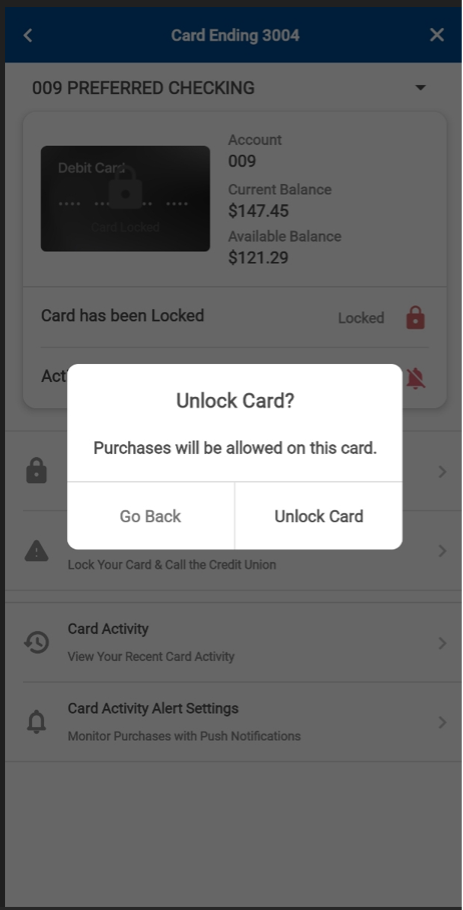
7. To unlock your card, click on “Temporarily Lock Your Card”
8. Select “Unlock Card”
9. If at any point you receive an error message or the mobile app seems unresponsive. Log out / Close the app and attempt again once signed back in. If the issue persists, contact our Member Service Call Center at 410-663-2500 and follow the prompts.